
Skip to content
Download · Linux

Apolo for Linux.

As .deb, .rpm, AppImage and a PKGBUILD for Arch, on x64 and ARM, with the GNOME or KDE look.

For your computer

Linux

64-bit · x64 and ARM

Your distribution
Processor
Download .deb24.4 MBDownload .deb24.7 MB
With the repository, it updates with the rest of your system
sudo install -dm755 /etc/apt/keyrings
sudo curl -fsSLo /etc/apt/keyrings/apolo.asc https://apolo.webcafeina.com/apolo.asc
sudo curl -fsSLo /etc/apt/sources.list.d/apolo.sources https://apolo.webcafeina.com/apt/apolo.sources
sudo apt update && sudo apt install apolo
Download .rpm24.4 MBDownload .rpm24.7 MB
With the repository, it updates with the rest of your system
sudo curl -fsSLo /etc/yum.repos.d/apolo.repo https://apolo.webcafeina.com/rpm/apolo.repo
sudo dnf install apolo
sudo zypper addrepo https://apolo.webcafeina.com/rpm/apolo.repo
sudo zypper install apolo
See the PKGBUILD
mkdir apolo && cd apolo
curl -fsSLO https://apolo.webcafeina.com/aur/PKGBUILD
makepkg -si

Coming soon to the AUR, as apolo-bin.

Download AppImage100.4 MB
chmod +x Apolo_1.0.0_amd64.AppImage
./Apolo_1.0.0_amd64.AppImage
Download AppImage98.1 MB
chmod +x Apolo_1.0.0_aarch64.AppImage
./Apolo_1.0.0_aarch64.AppImage

Without the repository, the package installs with a double click or with your package manager.
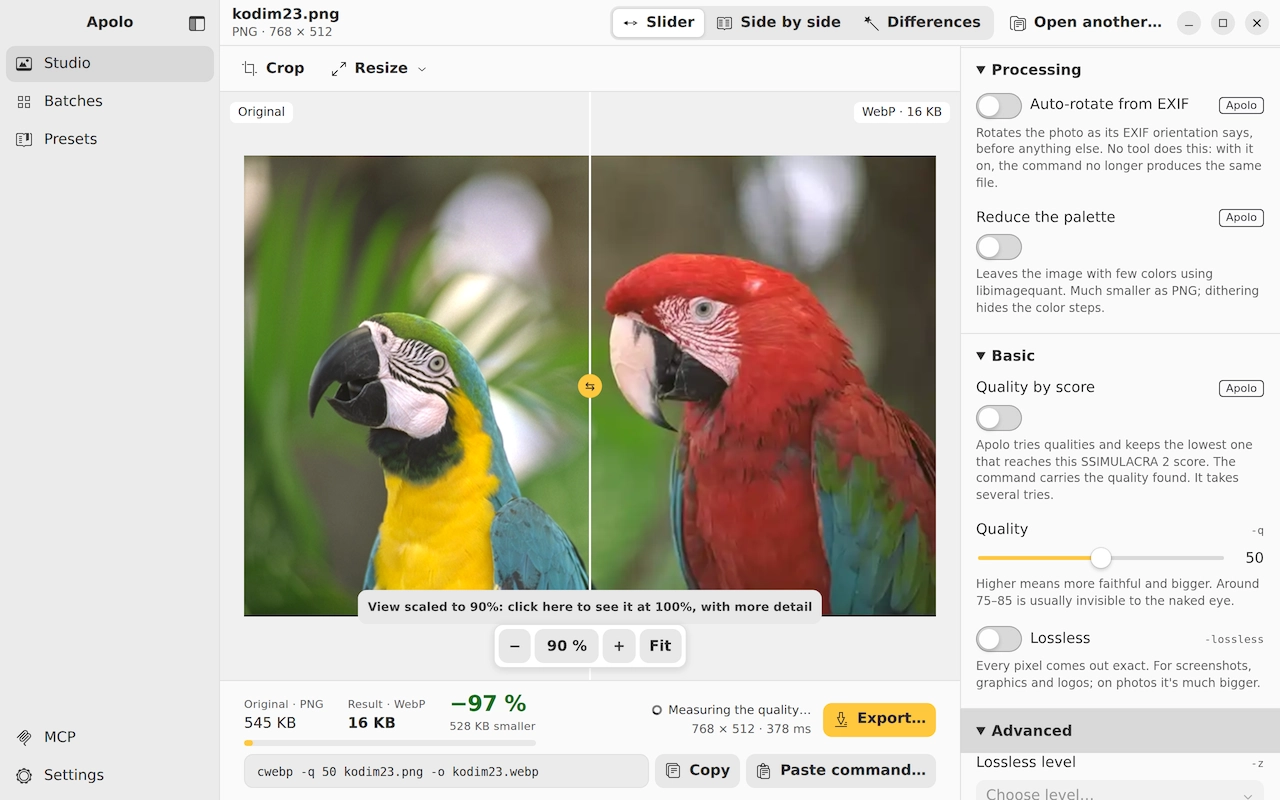
Apolo on Linux · GNOME: Studio

Ubuntu and Debian

With Apolo's repository, it updates with the rest of your system:

sudo install -dm755 /etc/apt/keyrings
sudo curl -fsSLo /etc/apt/keyrings/apolo.asc https://apolo.webcafeina.com/apolo.asc
sudo curl -fsSLo /etc/apt/sources.list.d/apolo.sources https://apolo.webcafeina.com/apt/apolo.sources
sudo apt update && sudo apt install apolo

Fedora and openSUSE

Fedora

sudo curl -fsSLo /etc/yum.repos.d/apolo.repo https://apolo.webcafeina.com/rpm/apolo.repo
sudo dnf install apolo

openSUSE

sudo zypper addrepo https://apolo.webcafeina.com/rpm/apolo.repo
sudo zypper install apolo

Arch, Manjaro, EndeavourOS and CachyOS

With the PKGBUILD from this site. Coming soon to the AUR, as apolo-bin.

mkdir apolo && cd apolo
curl -fsSLO https://apolo.webcafeina.com/aur/PKGBUILD
makepkg -si

Any other

The AppImage works on almost all of them: allow it to run and open it.

Updates

  • With the repository, along with the rest of your system (apt, dnf or zypper).
  • With a standalone .deb or .rpm, Apolo tells you about each new version and installs it with one click.
  • On Arch, by building the PKGBUILD again.

Requirements

  • 64-bit Linux, on x64 or ARM.
  • WebKitGTK 4.1, which the package manager installs for you with the .deb and the .rpm.
  • It looks like GNOME or KDE, depending on your desktop.

Verify your download

Every file in the release comes with its SHA-256 sum and its provenance signed by GitHub, which states which build produced it and from which code. If they match, the file is the one that came out of the repository.

Apolo_1.0.0_amd64.deb
c6ff669b89627e4bbdfd715cad49e8f151a5377db43d203c464a074af1a90764
Apolo_1.0.0_arm64.deb
71074dca845e7bfb7587bb1fdbd63494c363af4295e4d01b8ba3308a44192f26
Apolo-1.0.0-1.x86_64.rpm
3f450747d0ad5cf9d15f2e8c5f96b5f9654a009c1dd21ed5eddd6ca1e7a21d34
Apolo-1.0.0-1.aarch64.rpm
a2d14de3e3bfe57258b08eecb3cc4a517a4840cd76db2ce0924d67178be9fc05
Apolo_1.0.0_amd64.AppImage
7863a78448411b8d8dab0a1d02515a7a9c75d315c91ace4901570305a3579960
Apolo_1.0.0_aarch64.AppImage
9739a57b9c8d2718ae11741bea8e2f3847b08f1ce9910b5a273b70034f313047
apolo-cli-1.0.0-linux-amd64.tar.gz
f92e86f1dfd81d7cb8f83ecc0097917239f16616173eccf4f970e26f5e8c23f4
apolo-cli-1.0.0-linux-arm64.tar.gz
18001d0b9a155d3be0d0a7d5a0a96e25e0ab19ef54dac43d2a18c946d5c6c1d7
Apolo-1.0.0-linux-amd64.mcpb
ec22cb324e9391a0bd3238d333aa48284b85cc035964affa0f94b7c11be5354f
Apolo-1.0.0-linux-arm64.mcpb
a70a3f5f494c9dd7dc12b342c8e46a15818fd07cde29edebf35a8ac85265e822

All the sums of the release (SHA256SUMS.txt)

With the sum, in the terminal:

sha256sum Apolo_1.0.0_amd64.deb

With the provenance, if you have GitHub's command line:

gh attestation verify Apolo_1.0.0_amd64.deb --repo webcafeina/Apolo

The APT and RPM repositories and the .rpm files are signed with this GPG key:

6D95 3C94 D0D6 6AB6 B9B0 FA26 CA21 CD7A B7FA 57FC · apolo.asc