Skip to content
Download · macOS

Apolo for Mac.

One download for Apple silicon and Intel, with the macOS look and the system's glass.

For your computer

macOS

macOS 11 or later · Apple silicon and Intel

Download .dmg43.7 MB
Version
1.0.0
SHA-256
75c9490ba01eab09…
Or with Homebrew
brew install --cask webcafeina/apolo/apolo
Other downloads

The first time, go to System Settings › Privacy & Security and click “Open Anyway”: Apolo isn't signed.

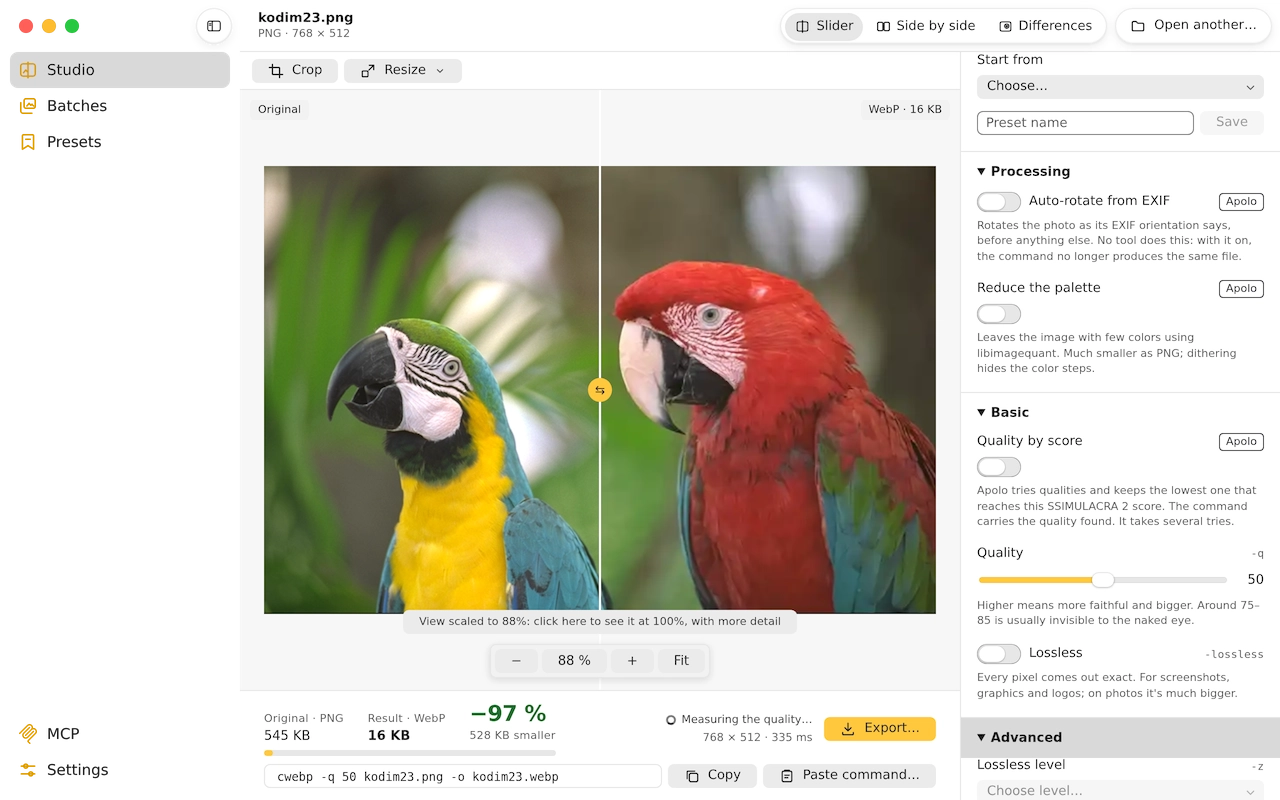
Apolo on macOS: Studio

Install

  1. Open the .dmg and drag Apolo to the Applications folder.
  2. The first time, macOS warns you that Apolo isn't signed. Go to System Settings › Privacy & Security and click “Open Anyway”.
  3. If it says it's damaged, open Terminal and type this:
xattr -dr com.apple.quarantine /Applications/Apolo.app

With Homebrew

The app, and separately the command line with the server for AI agents:

brew install --cask webcafeina/apolo/apolo
brew install webcafeina/apolo/apolo

It updates itself

When there's a new version, Apolo tells you and installs it with one click. To know, it asks GitHub once a day, and nothing else: you can turn it off in Settings.

Requirements

  • macOS 11 Big Sur or later.
  • A Mac with Apple silicon or Intel: the same .dmg works on both.
  • With 24-megapixel photos it stays around 2 GB of memory, even in batches of hundreds: it fits an 8 GB Mac.

Verify your download

Every file in the release comes with its SHA-256 sum and its provenance signed by GitHub, which states which build produced it and from which code. If they match, the file is the one that came out of the repository.

Apolo_1.0.0_universal.dmg
75c9490ba01eab0944eaf69b763e8098dc68a6b2e21af7f2f1ca697834df14ac
apolo-cli-1.0.0-macos-universal.tar.gz
4d185e57db98229d954050fb97531e1970e382b519842b233649e3c0ca278816
Apolo-1.0.0-macos.mcpb
e3ae1fa929df837a77db94957ef136ddd5b4073e644fdf8a5f1cee9792487d04

All the sums of the release (SHA256SUMS.txt)

With the sum, in the terminal:

shasum -a 256 Apolo_1.0.0_universal.dmg

With the provenance, if you have GitHub's command line:

gh attestation verify Apolo_1.0.0_universal.dmg --repo webcafeina/Apolo